
If a customer reports they didn’t receive their subscription, drip, or access email, there are a few common causes. In most cases, this can be resolved quickly by checking the steps below.
1. Confirm the Email Was Sent
Go to:
Content Vault → Customers → Click the customer
Check the subscription activity panel:
- Was the content sent?
- What date/time was it sent?
- Does it show as opened?
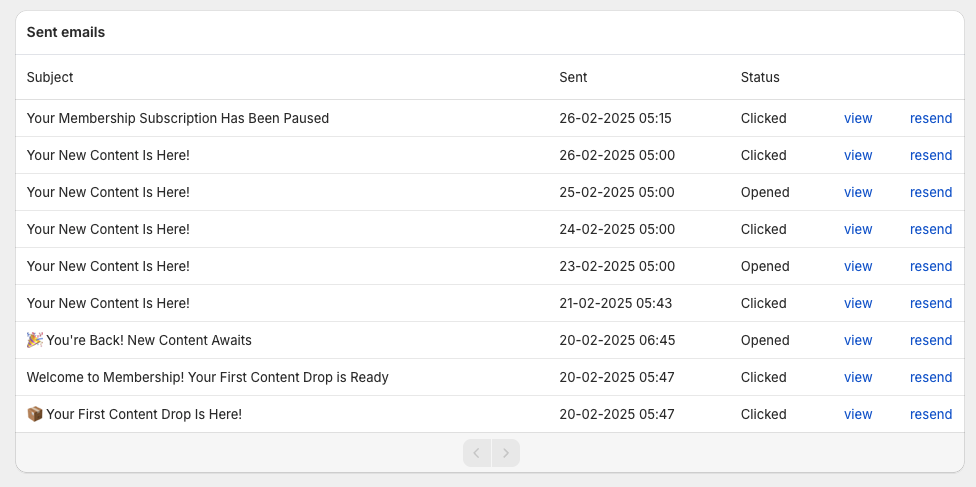
If the email shows as sent but not opened, the issue is likely on the customer’s email provider side (spam, filtering, etc.).
If it does not show as sent, continue below.
2. Ask the Customer to Check Spam / Promotions
Have the customer check:
- Spam / Junk folder
- Gmail Promotions tab
- Gmail Updates tab
They can also search for your store name or the subject line of the email.
Spam filtering is the most common reason emails appear “missing.”
3. Verify the Customer’s Email Address
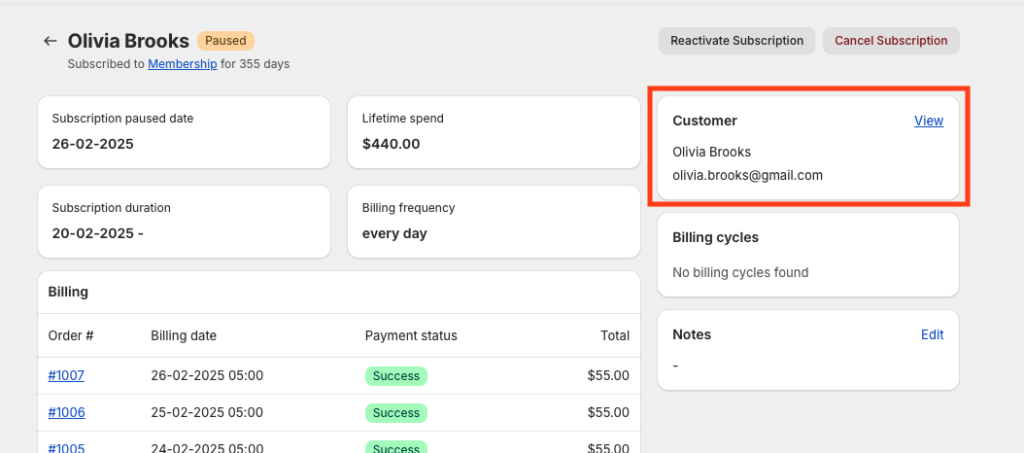
Double-check the email address on:
- The Shopify order
- The customer record in Content Vault → Customers
A typo in the email address will prevent delivery.
4. (Optional) Review Custom Email Sender Settings
By default, Content Vault sends emails using our secure system.
However, if you configured a custom email sender (to send emails from your own domain), incorrect DNS setup can prevent emails from being delivered.
Go to:
Content Vault → Settings → Custom Email Settings
Check:
- The email address is entered correctly
- Your domain is verified
- SPF and DKIM records are properly configured

If you’re unsure how to configure this, follow our full step-by-step guide here:
👉 How to Set Up a Custom Email Sender
If you are not using a custom sender, you can safely skip this step.
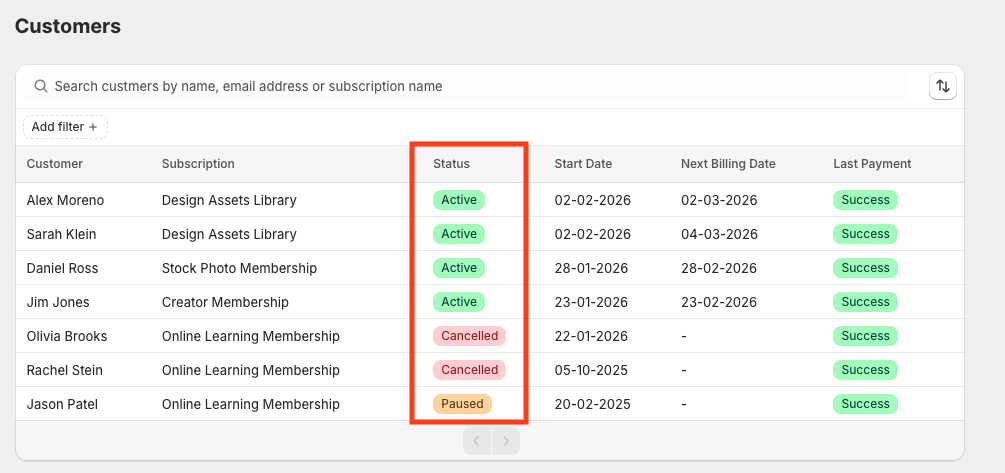
5. Check Subscription Status
If a customer:
- Canceled their subscription
- Paused their subscription
- Had a failed payment
They will not receive future drips or renewal emails.
Check the subscription status inside:
Content Vault → Customers → Subscription
6. Review Drip Settings (For Drip Subscriptions)
If using a Drip Subscription, verify:
- The drip schedule is configured correctly
- “Release first drip immediately” is enabled (if expected)
- The correct tier is selected (if using tiers)
- The billing frequency aligns with the drip timing
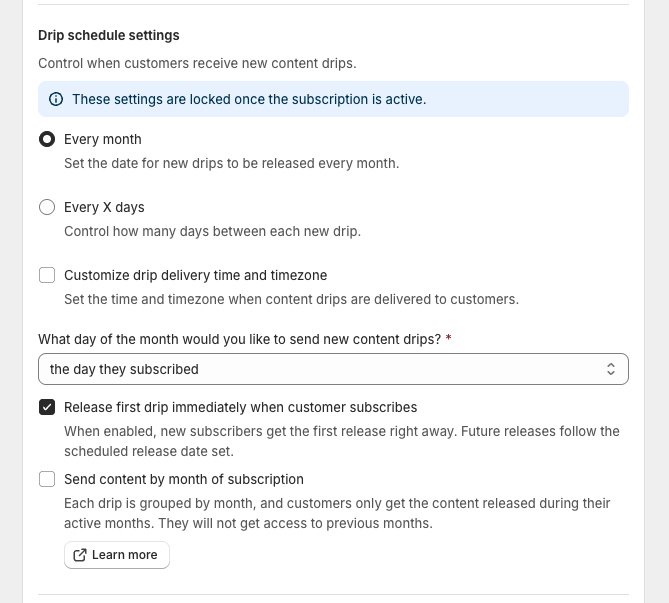
Incorrect drip timing is a common cause of confusion.
7. Customer Account Page Not Loading
If customers see errors like:
- “Safari can’t open the page”
- “Server cannot be found”
This usually indicates a DNS or domain configuration issue.
Confirm:
- Customer accounts are enabled in Shopify
- The customer account URL loads properly
- Domain DNS settings are correct
If needed, contact Shopify Support to verify domain configuration.
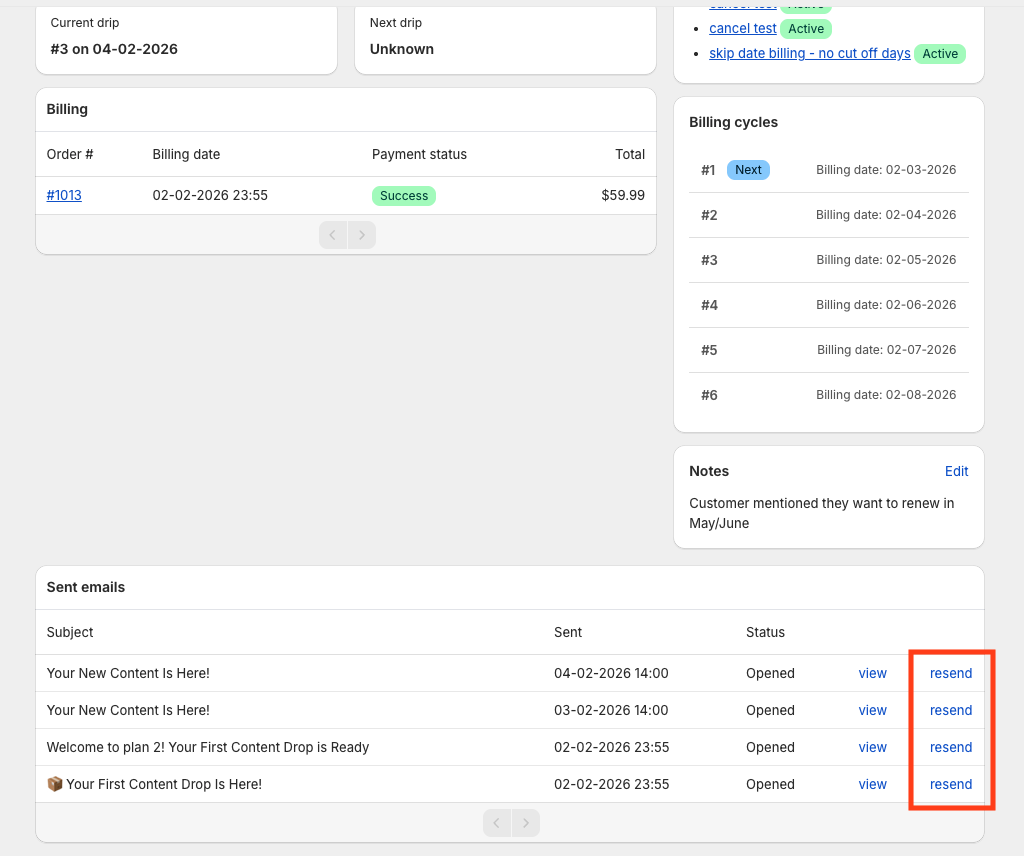
8. Resend the Content Manually
You can resend content from:
Content Vault → Customers → Select Customer → Resend
Most Common Causes
In most cases, email delivery issues are due to:
- Spam filtering
- Incorrect email address
- Custom sender DNS misconfiguration
- Subscription not active
- Drip schedule timing misalignment
System-wide delivery failures are extremely rare.
Still Having Trouble?
If the issue persists, contact support with:
- Customer email address
- Subscription name
- Approximate send date
- Screenshot (if available)
This will help us investigate quickly.