

Content Vault offers multiple subscription types so you can match how you sell content with how customers access it.
Each subscription type is built for a specific use case. This guide will help you choose the right one based on what you’re selling and how you want customers to receive it.
Quick Comparison
| Subscription Type | Best For | How Access Works |
|---|---|---|
| Content Drip | Courses, programs, coaching | Content released over time |
| Library Access | Memberships, resource hubs | Full or partial access to a library |
| Content Pass | Stock assets, templates | Limited downloads per billing cycle |
If you already know your model, jump to the section below. Otherwise, read on 👇
Use Content Drip If…
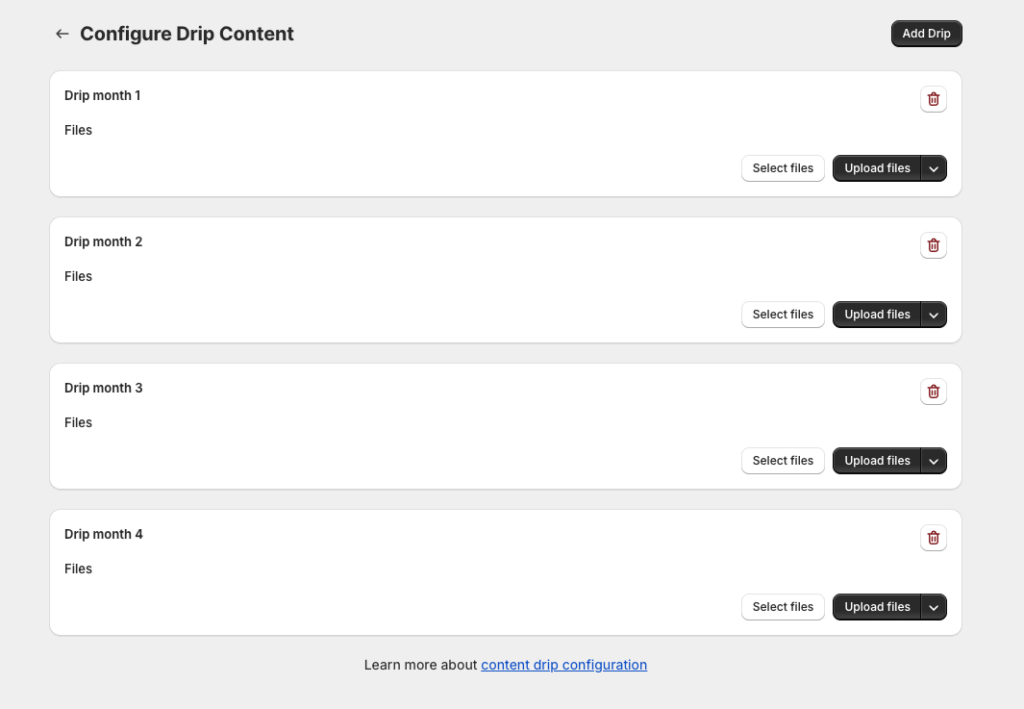
Choose Content Drip when your content is meant to be consumed step-by-step over time.
Ideal for:
- Online courses
- Coaching programs
- Training series
- Serialized content (weekly/monthly releases)
How it works:
- Customers subscribe and are billed on a schedule
- Content is released gradually (per billing cycle or fixed intervals)
- Billing and content timing are configured separately
- Each tier can have its own drip schedule and pricing
This is the best choice when progression and pacing matter.
Use Library Access If…
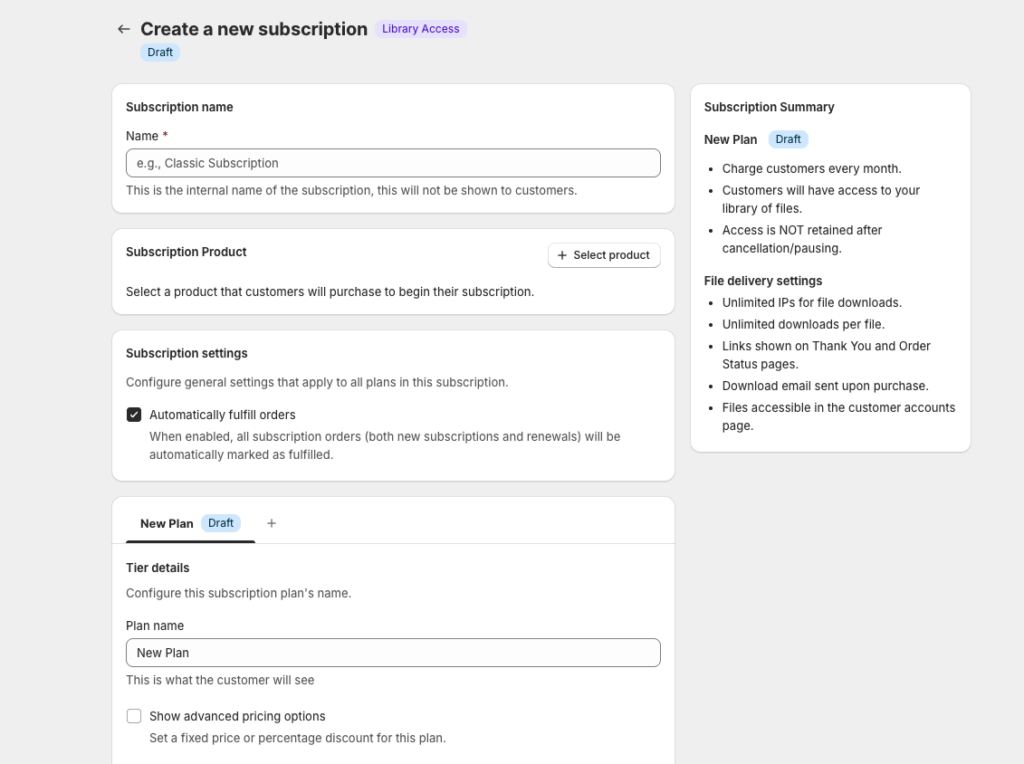
Choose Library Access when customers should unlock a collection of content rather than individual drops.
Ideal for:
- Membership sites
- Resource libraries
- Premium content hubs
- Communities with gated downloads
How it works:
- Subscribers get access to a set of files linked to their tier
- Access rules are configurable (active-only or retained after cancellation)
- Files and delivery settings are controlled per tier
- No drip scheduling—content is available immediately based on access rules
This is best when you want ongoing access, not staged releases.
Use Content Pass If…
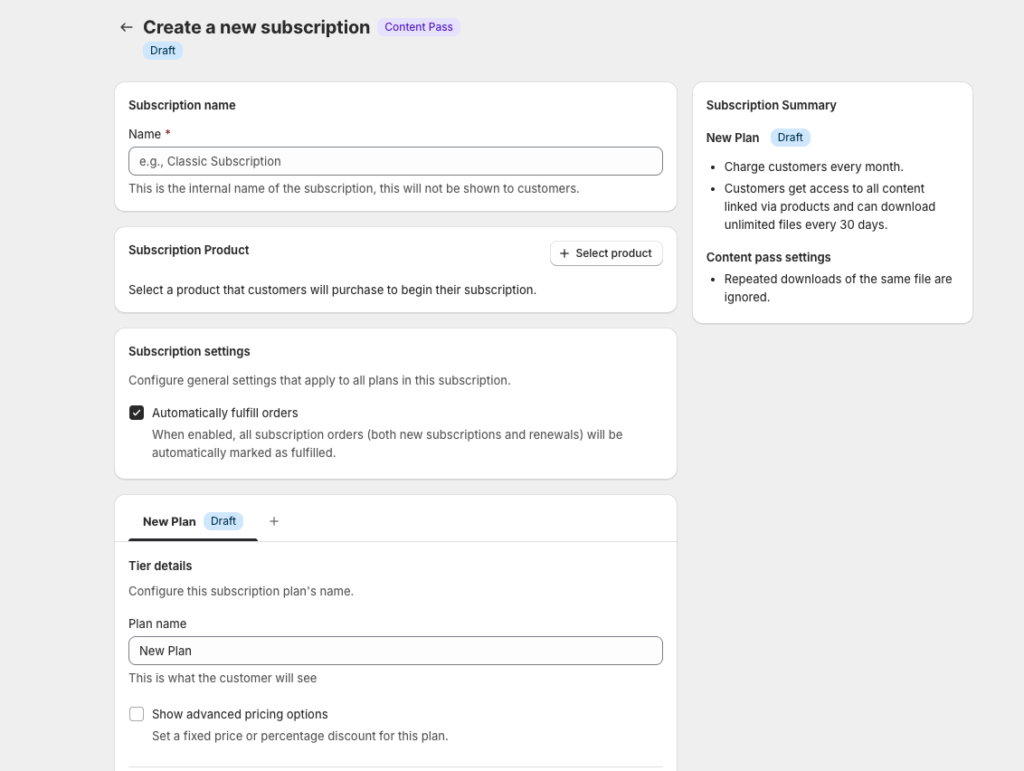
Choose Content Pass when you want to limit how much content a subscriber can download each billing cycle.
Ideal for:
- Stock photos
- Design templates
- Digital assets
- Large content libraries where usage needs limits
How it works:
- Subscribers receive a download allowance (e.g. 10 downloads per month)
- Downloads can be used on any linked files or products
- Allowance automatically resets each billing cycle
- Each tier can have different limits, pricing, and reset intervals
Think of this like a Shutterstock-style plan inside Shopify.
What About Tiers?
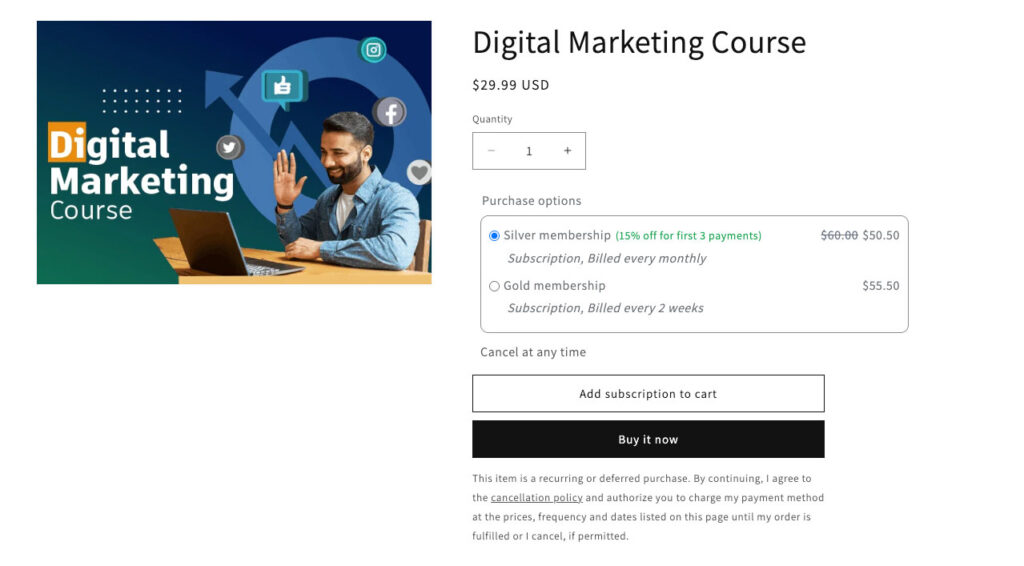
All subscription types support tiers, which allow you to offer multiple plans under a single subscription.
Each tier can have:
- Its own price
- Its own billing frequency
- Its own access or download rules
- Its own files or linked products
Customers select their tier on the product page before checkout, not after purchase.
This lets you offer flexible pricing without duplicating products.
Still Not Sure?
Ask yourself these questions:
- Do I want content released over time? → Content Drip
- Do I want members to access a library? → Library Access
- Do I need to limit downloads per month? → Content Pass
If you’re stuck between two options, you can always start simple and adjust later—subscriptions can be edited, expanded, and refined as your business grows.
Next Step
Once you’ve chosen the right subscription type, you’re ready to set it up in Content Vault.
👉 Next: How to Set Up a Subscription in Content Vault
If you’d like help choosing the best setup for your use case, reach out via live chat—we’re happy to walk you through it.