
Content Vault gives you full control over how failed payments and subscription cancellations are handled — including retries, access behavior, and customer notifications.
This ensures you can recover revenue where possible while maintaining a predictable experience for your customers.
How Failed Payments Work
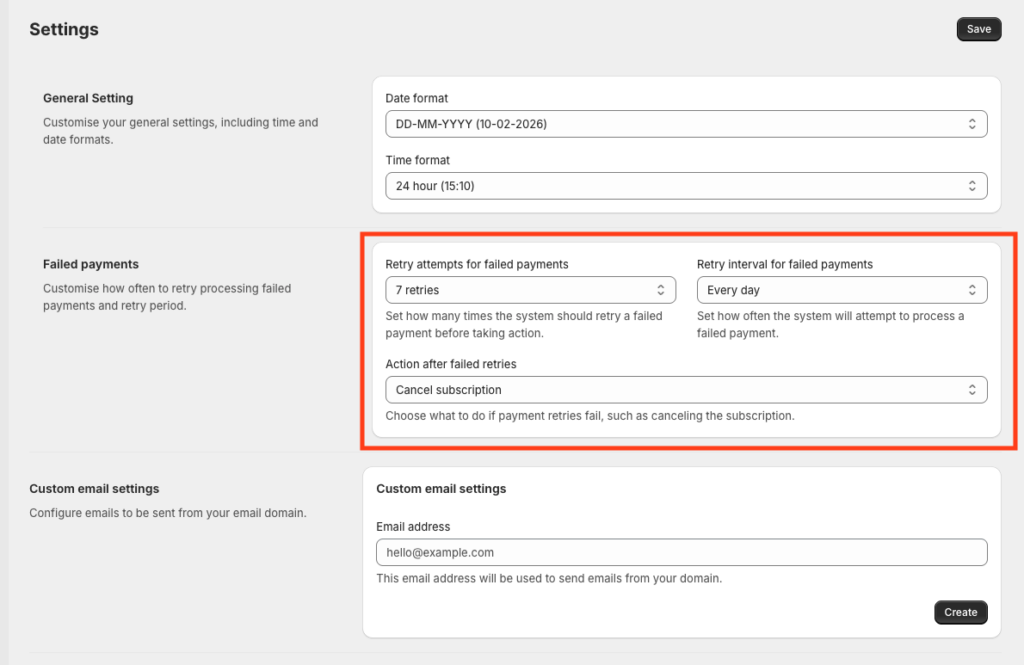
When a subscription payment fails, Content Vault follows the retry rules you’ve configured in Settings → Failed Payments.
Payment Retry Attempts
You can choose how many times Content Vault should retry a failed payment before taking action.
Example:
- Retry up to 7 times
- Attempt retries daily
This helps recover temporary payment issues like expired cards or bank delays.
Retry Interval
Choose how often retries occur:
- Every day
- Every few days (depending on configuration)
Retries stop once a payment succeeds or the retry limit is reached.
Action After Failed Retries
If all retry attempts fail, Content Vault will automatically take the action you’ve selected:
- Cancel subscription
- Pause subscription (if supported by your workflow)
This action applies consistently across all subscription types.
What Customers Experience During Failed Payments
- Customers retain access while retries are in progress
- If retries ultimately fail, access is handled based on:
- Your subscription configuration
- Whether access is retained or revoked after cancellation
Customers are notified automatically via email at each relevant step.
Subscription Cancellations
Subscriptions can be cancelled in several ways:
- Automatically after failed payment retries
- Manually by you
- By the customer (if enabled in your setup)
Access After Cancellation
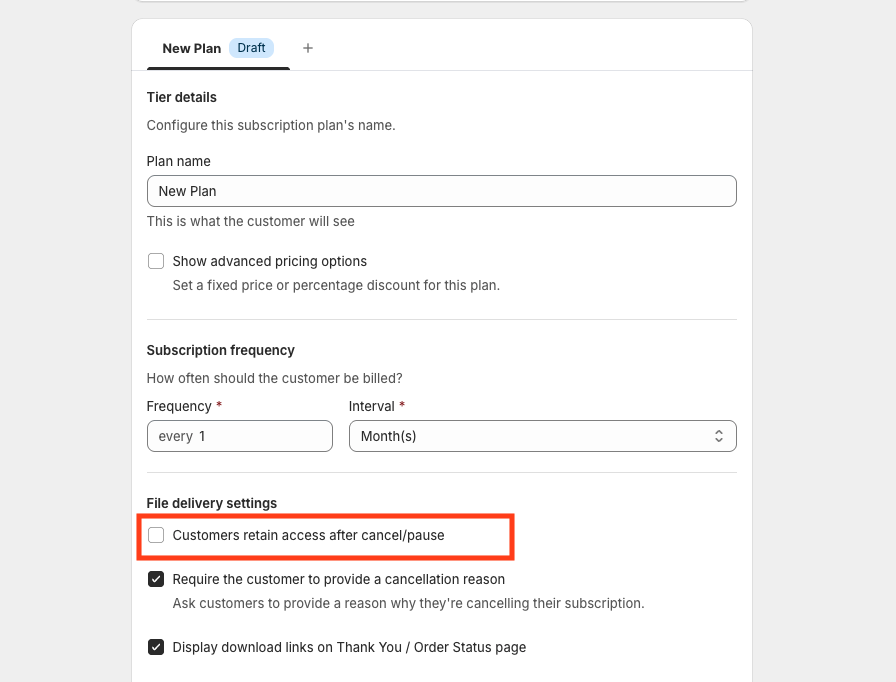
Access behavior is configurable and depends on the subscription and tier setup.
You can choose whether customers:
- Retain access after cancellation, or
- Lose access immediately
This allows you to support use cases like:
- Paid libraries with lifetime access
- Strict memberships requiring an active subscription
Paused Subscriptions
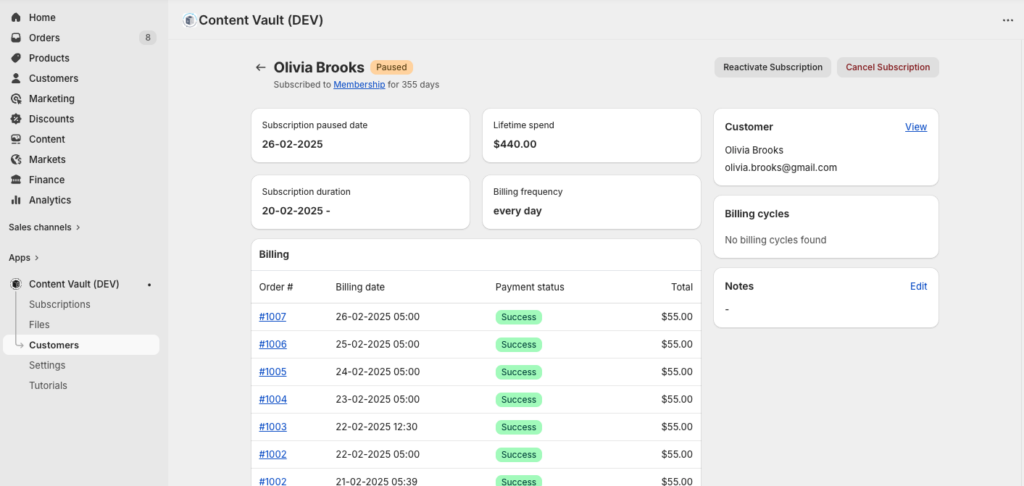
When a subscription is paused:
- Billing stops
- Access is handled based on your configuration
- The subscription can be reactivated later without creating a new one
Paused subscriptions are useful for:
- Payment recovery
- Temporary customer requests
- Retention workflows
Email Notifications
Content Vault automatically sends emails for all key events, including:
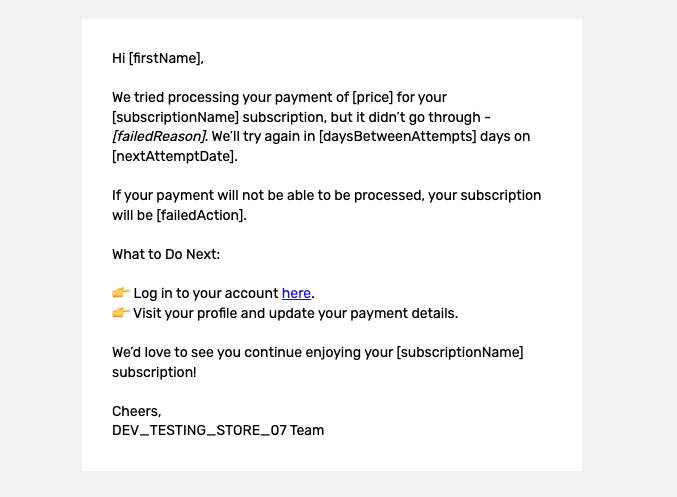
- Payment failed
- Payment due reminder
- Subscription paused
- Subscription cancelled (access retained or revoked)
- Subscription resumed
All emails can be customized from Settings → Email Templates > General.
Managing Cancellations Manually
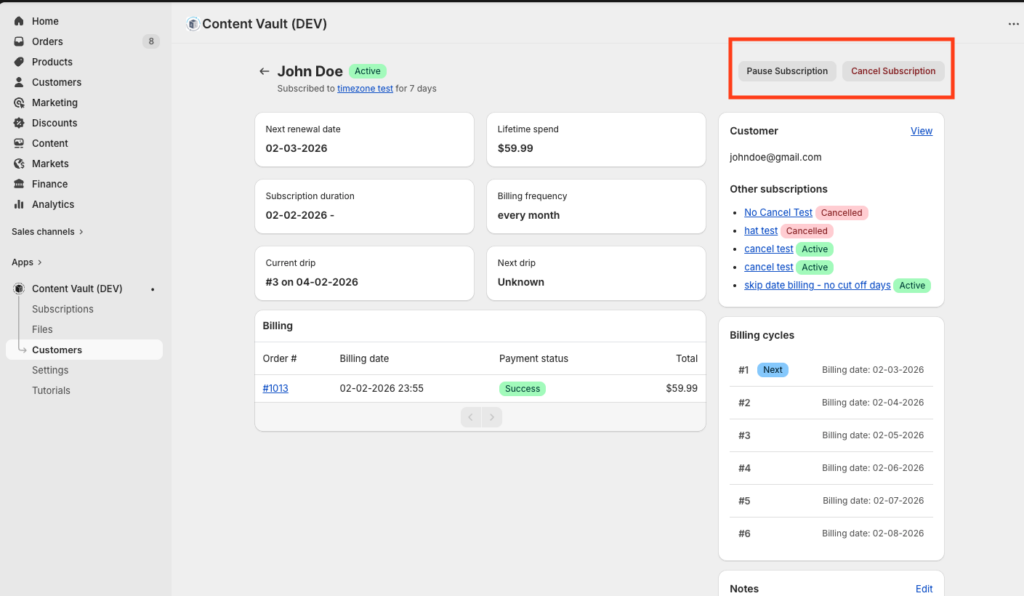
From the Customers page, you can:
- Pause an active subscription
- Cancel a subscription immediately
- Reactivate a paused subscription
- View billing history and payment status
Final Notes
- Failed payment retries help reduce involuntary churn
- Cancellation behavior is predictable and configurable
- Access rules are respected consistently across retries, pauses, and cancellations
- All customer communication is automated but fully customizable
If you’re unsure which retry or cancellation strategy fits your business best, reach out via live chat — we’re happy to help you fine-tune it.