

Subscription tiers allow you to offer multiple billing options for the same product.
The most common example:
- Monthly Plan – $10/month
- Yearly Plan – $99/year (save 15%)
Customers choose their preferred option directly on the product page before adding the subscription to cart.

What Is a Tier?
A tier is a billing option within a subscription.
Instead of creating separate products for:
- Monthly access
- Annual access
You can create both under one subscription using tiers.
This keeps your product clean and easier to manage.
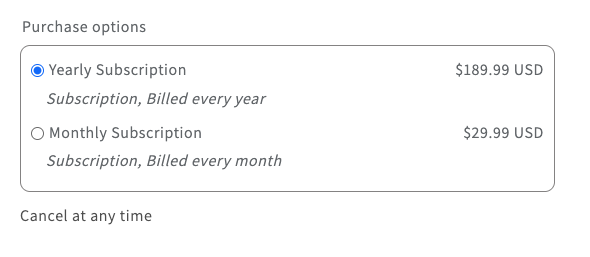
Where Customers Select Their Plan
Customers select their plan directly on the product page inside the Subscription Widget.
It is not selected at checkout.
Common Use Cases for Tiers
1️⃣ Monthly vs Yearly Plans (Most Common)
Offer flexibility:
- Monthly subscription (cancel anytime)
- Yearly subscription (discounted rate)
Example:
- $29/month
- $299/year (15% discount)
Each tier can have its own billing frequency and price.
2️⃣ Standard vs Premium Access
Offer different pricing for different content levels:
- Basic Plan – Access to core content
- Pro Plan – Access to all content
- VIP Plan – Includes bonus files
Each tier can control its own file access.
3️⃣ Download-Based Plans (Content Pass)
For Content Pass subscriptions:
- 5 downloads per month
- 20 downloads per month
- 100 downloads per month
Each tier can have its own download allowance and reset rules.
What Can Be Configured Per Tier?
Each tier can have its own:
- Plan name (what customers see)
- Billing frequency (monthly, yearly, etc.)
- Pricing or discount
- File access rules
- Download limits (Content Pass)
- Drip timing (Drip subscriptions)
How Billing Frequency Works Per Tier
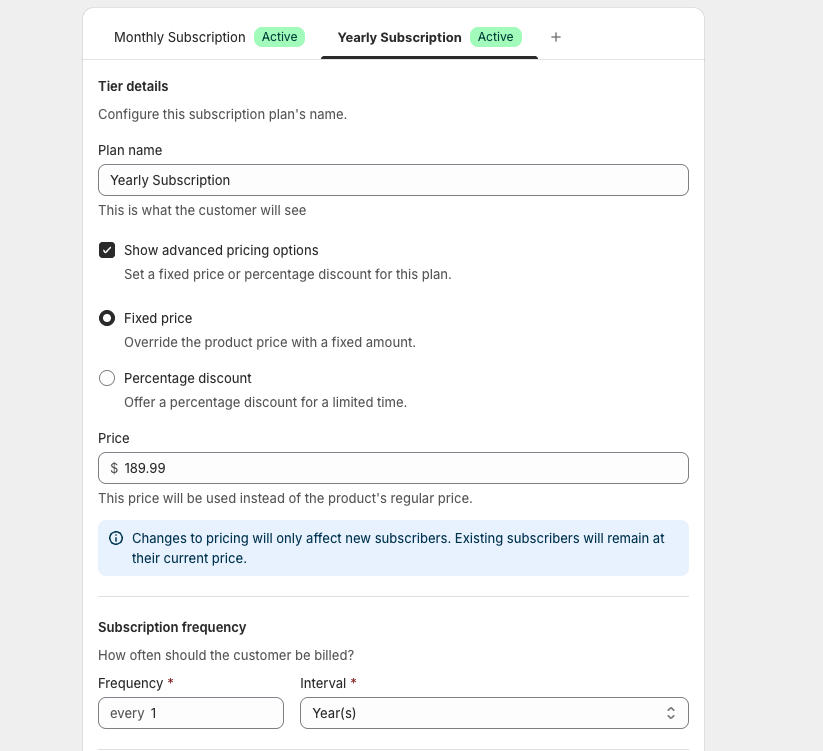
Each tier controls its own billing cycle.
For example:
| Tier Name | Billing | Price |
|---|---|---|
| Monthly | Every 1 month | $29 |
| Yearly | Every 12 months | $299 |
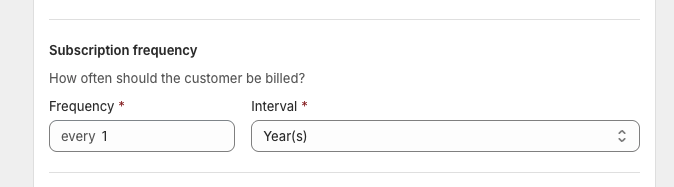
You configure this in the Subscription Frequency section inside each tier.
Linking Files Per Tier
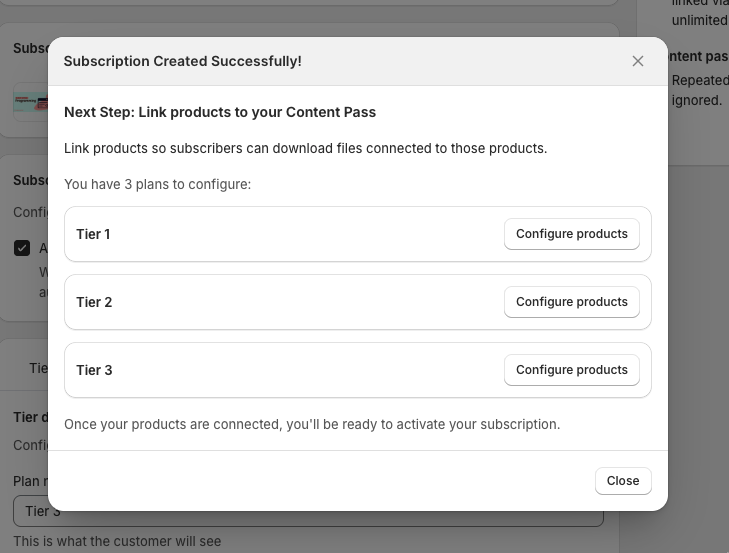
After saving the subscription, you’ll configure files separately for each tier.
This allows you to:
- Give identical access across all plans
- Or restrict certain content to higher tiers
When Should You Use Tiers?
Use tiers when:
- You want Monthly + Yearly options
- You want different pricing for the same product
- You want different content access levels
- You want different download allowances
When You Don’t Need Tiers
If you only have:
- One billing frequency
- One price
- One access level
You can use a single tier.
Important Notes
- Tiers are optional.
- Customers choose their plan on the product page.
- You do NOT need separate products for monthly and yearly plans.
- Each tier controls its own billing and access logic.