

Content Vault allows you to control how audio and video files are delivered to customers. For supported media files, you can choose whether customers download the file or stream it directly online.
Streaming is ideal for video lessons, music tracks, podcasts, and other media-based content.
Supported File Types
Streaming is available for supported media formats such as:
- MP4
- MOV
- MP3
- WAV
Other file types (PDF, ZIP, images, etc.) will only support standard download delivery.
How to Configure Streaming
- In your Shopify admin, go to:
Apps → Content Vault → Files - Click on an audio or video file.
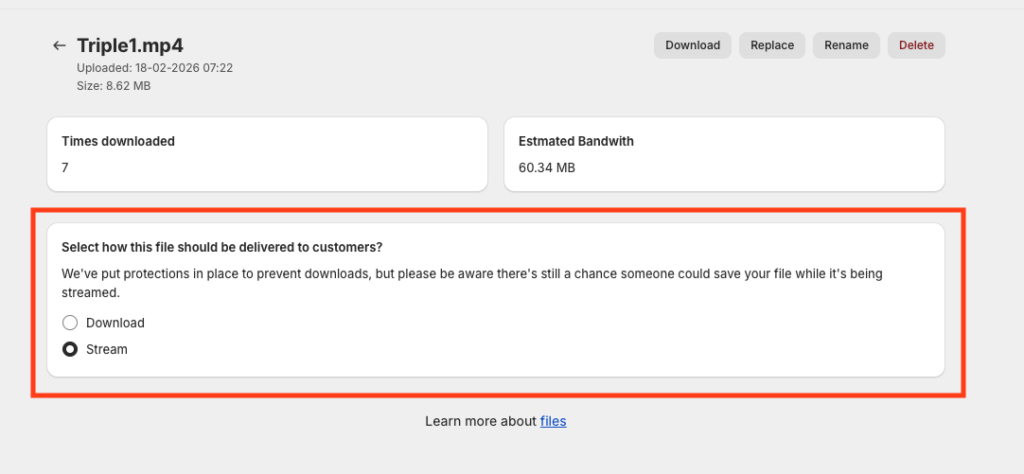
- On the File Detail page, scroll to: Select how this file should be delivered to customers
- Choose one of the following:
- Download — Customers download the file to their device.
- Stream — Customers play the file directly online.
Your selection will automatically apply wherever that file is used across subscriptions.
Important Note About Streaming
While streaming adds protection against direct file downloads, it does not make the content impossible to capture. Advanced users may still attempt to save streamed content using browser tools.
Streaming reduces casual file sharing but should not be considered absolute DRM protection.
How It Works With Subscriptions
- The selected delivery method applies across all subscriptions referencing the file.
- If set to Stream, customers will see a media player instead of a download button.
- If set to Download, customers will receive a standard secure download link.
You can update the delivery method at any time from the file’s detail page.