Why aren't customers receiving emails?
If a customer reports they didn’t receive their subscription, drip, or access email, there are a few common causes. In most cases, this can be resolved quickly by checking the steps below.
1. Confirm the Email Was Sent
Go to:
Content Vault → Customers → Click the customer (Content Vault is listed as Digital Subscriptions in your Shopify admin)
Scroll to the Sent emails panel at the bottom of their page:
- Was the content sent?
- What date/time was it sent?
- Does it show as opened?
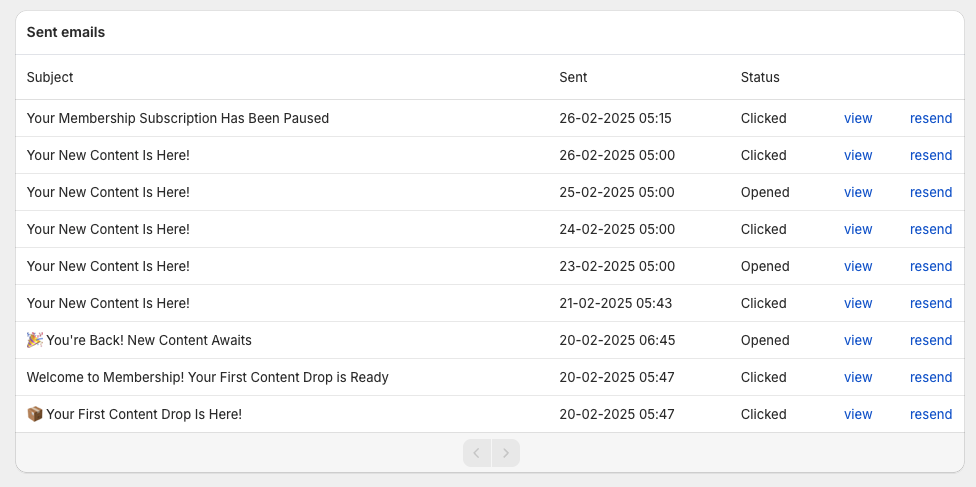
If its Status says Bounced, or a red Download email could not be sent warning sits at the top of the customer’s page, start with the email address: go to step 3.
If the email shows as sent but not opened, the issue is likely on the customer’s email provider side (spam, filtering, etc.).
If it does not show as sent, continue below.
2. Ask the Customer to Check Spam / Promotions
Have the customer check:
- Spam / Junk folder
- Gmail Promotions tab
- Gmail Updates tab
They can also search for your store name or the subject line of the email.
Spam filtering is the most common reason emails appear “missing.”
3. Verify the Customer’s Email Address
Double-check the email address on:
- The Shopify order
- The customer record in Content Vault → Customers
A typo in the email address will prevent delivery.
If a red Download email could not be sent warning shows at the top of the customer’s page, it tells you why: “The customer's email address has previously been bounced. The download email cannot be sent until a new email address is provided.” (It says marked as spam or rejected instead of bounced when that’s the reason.) Click Update customer email in Shopify to open their Shopify customer record and change the address there (fix the typo, or use another address the customer gives you), then resend the email (step 8).
4. (Optional) Review Custom Email Sender Settings
By default, Content Vault sends emails from its own address.
However, if you configured a custom email sender (to send emails from your own domain), incorrect DNS setup can prevent emails from being delivered.
Go to:
Content Vault → Settings → Custom Email Settings
Check:
- The email address is entered correctly
- Your domain is verified
- SPF and DKIM records are properly configured

If you’re unsure how to configure this, follow our full step-by-step guide here:
👉 How to Set Up a Custom Email Sender
If you are not using a custom sender, you can safely skip this step.
5. Check Subscription Status
If a customer:
- Canceled their subscription
- Paused their subscription
They will not receive future drips or renewal emails.
A failed payment doesn’t stop drips on its own: subscribers keep access and keep getting drips while retries run, up to the retry limit set in Settings → Failed Payments.
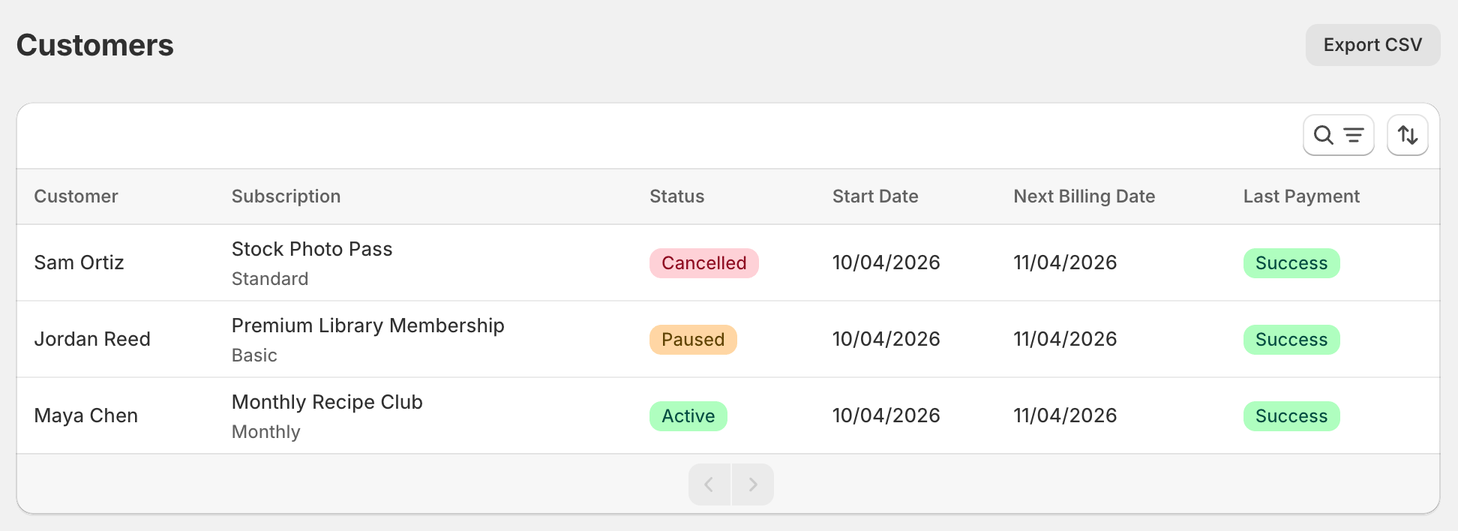
Check the subscription status in the Status column on Content Vault → Customers, or in the status badge at the top of the customer’s page.
6. Review Drip Settings (For Drip Subscriptions)
If using a Drip Subscription, verify:
- The drip schedule is configured correctly
- “Release first drip immediately when customer subscribes” is enabled (if expected)
- The correct tier is selected (if using tiers)
- The billing frequency aligns with the drip timing
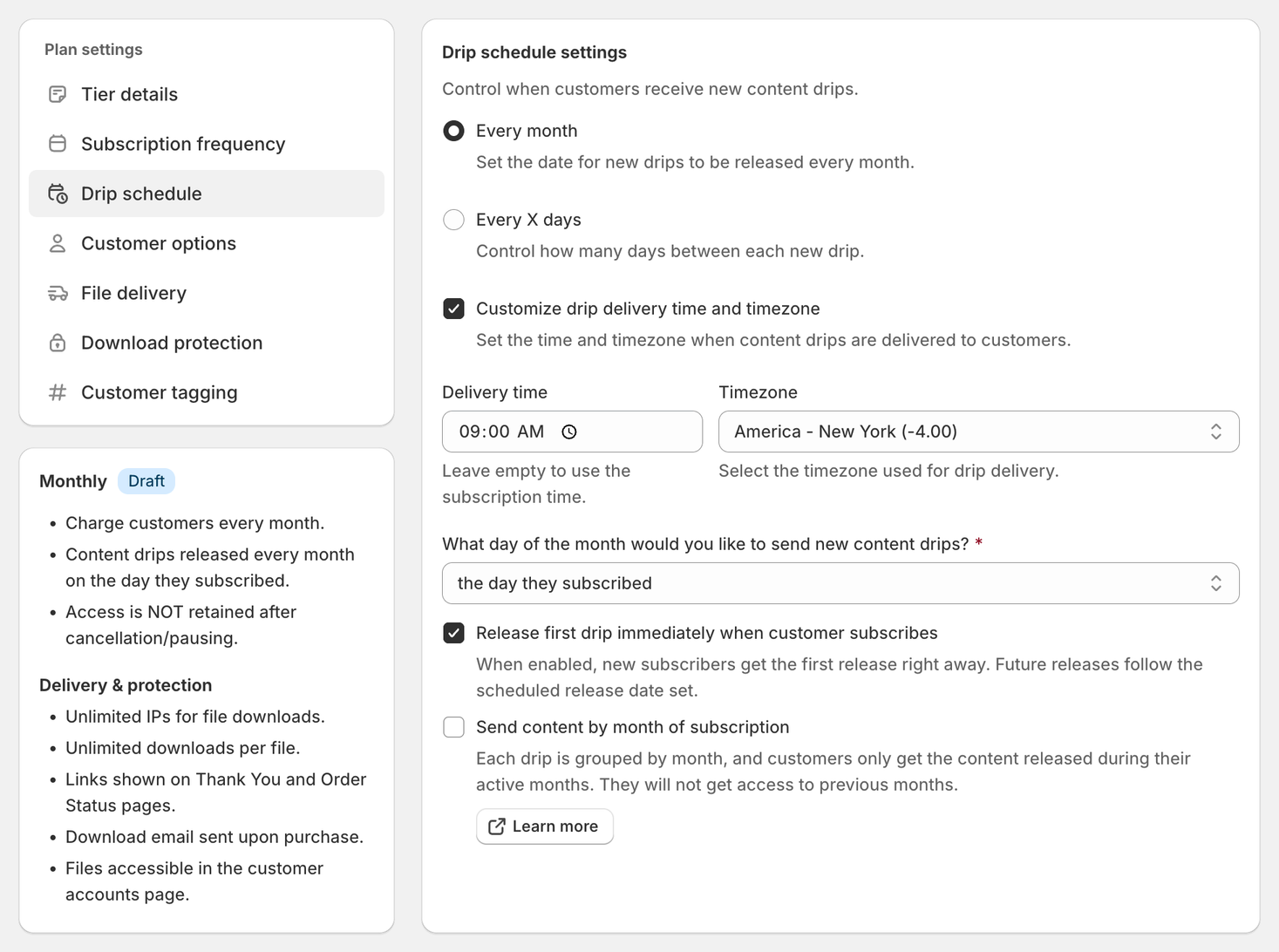
Incorrect drip timing is a common cause of confusion.
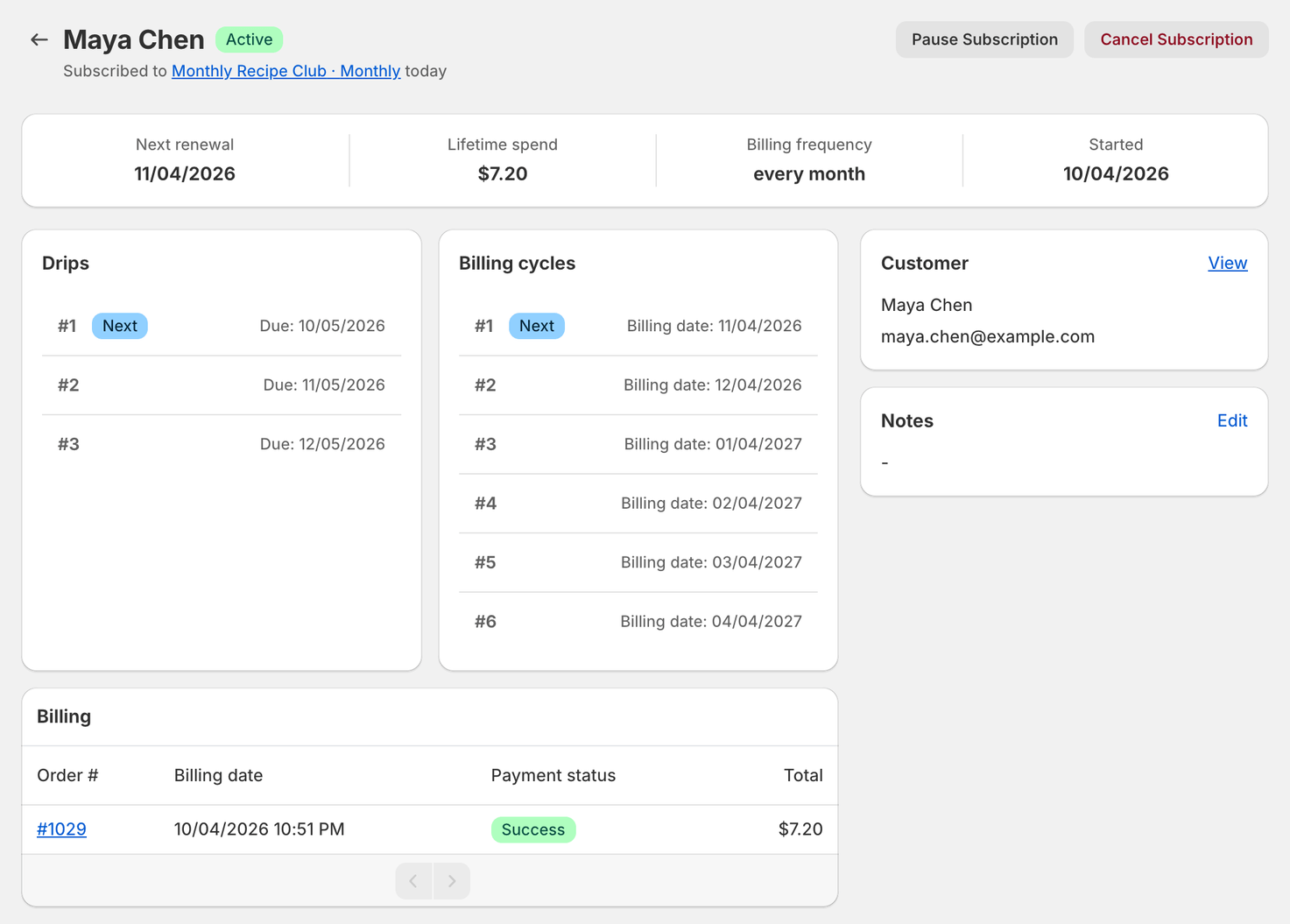
💡 Check the Drips panel before anything else. On the customer's page it lists every release with a Due and a Released date. If the drip the customer is asking about has no Released date, it hasn't gone out yet (unless it's marked Skipped). That's the answer far more often than a delivery failure.
7. Customer Account Page Not Loading
If customers see errors like:
- “Safari can’t open the page”
- “Server cannot be found”
This usually indicates a DNS or domain configuration issue.
Confirm:
- Customer accounts are enabled in Shopify
- The customer account URL loads properly
- Domain DNS settings are correct
If needed, contact Shopify Support to verify domain configuration.
8. Resend the Content Manually
You can resend content from:
Content Vault → Customers → Select Customer → Resend
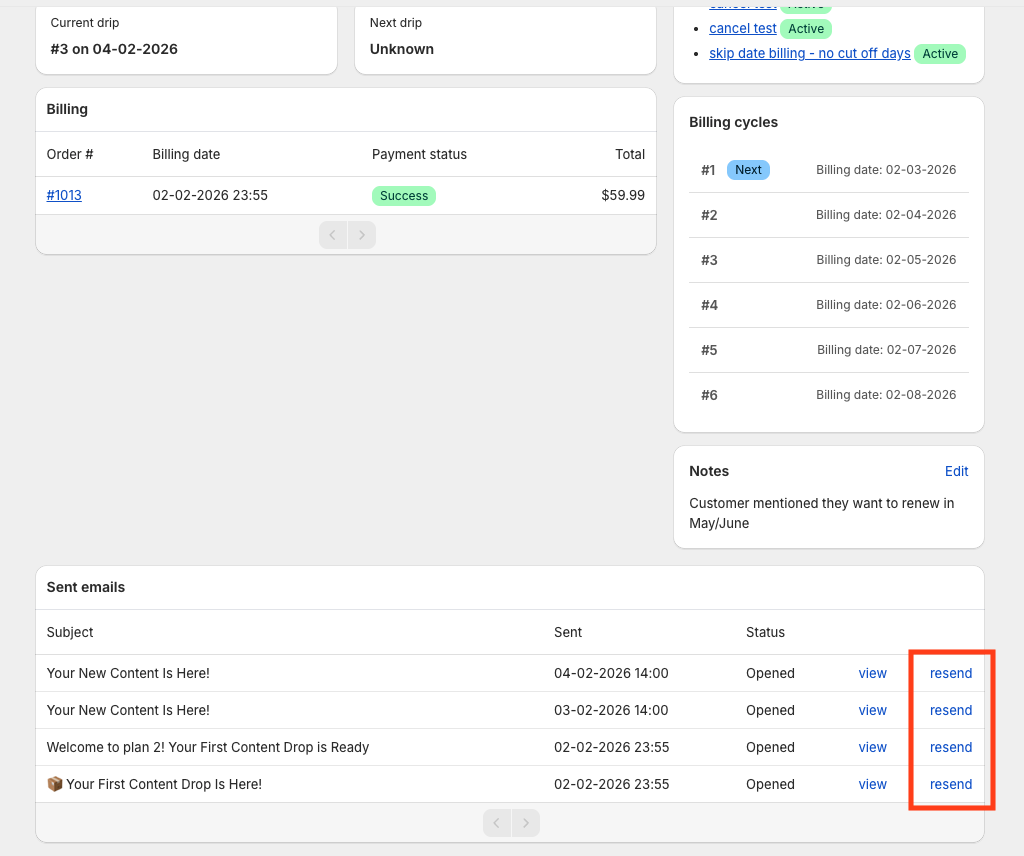
If resend is grayed out, hover over it: an email can only be resent an hour after it was sent. If the address bounced, correct it first (step 3).
Most Common Causes
In most cases, email delivery issues are due to:
- Spam filtering
- Incorrect or bounced email address
- Custom sender DNS misconfiguration
- Subscription not active
- Drip schedule timing misalignment
Still Having Trouble?
If the issue persists, contact support with:
- Customer email address
- Subscription name
- Approximate send date
- Screenshot (if available)
This will help us investigate quickly.