Handling failed payments & cancellations
Content Vault gives you full control over how failed payments and subscription cancellations are handled — including retries, access behavior, and customer notifications.
This ensures you can recover revenue where possible while maintaining a predictable experience for your customers.

How Failed Payments Work
When a subscription payment fails, Content Vault follows the retry rules you’ve configured in Settings → Failed Payments.
Payment Retry Attempts
You can choose how many times Content Vault should retry a failed payment before taking action, from 1 to 10 times.
Example:
- Retry up to 7 times
- Attempt retries daily
This helps recover temporary payment issues like expired cards or bank delays.
Retry Interval
Choose how often retries happen: every day, or every 2, 3, 4, 5, 6 or 7 days.
Retries stop once a payment succeeds or the retry limit is reached.
Action After Failed Retries
If all retry attempts fail, Content Vault will automatically take the action you’ve selected:
- Cancel subscription
- Pause subscription
- Skip failed order — skips the order whose payment failed and keeps the subscription active
This action applies consistently across all subscription types. Cancelling the subscription after the last failed retry needs the Starter plan or above. Pausing and skipping work on every plan.
What Customers Experience During Failed Payments
- Customers retain access (and keep getting drips) while retries are in progress
- If retries ultimately fail, access is handled based on:
- Your subscription configuration
- Whether access is retained or revoked after cancellation
Customers are notified automatically via email at each relevant step.
Orders Flagged as Fraud
On the Starter plan and above, Content Vault’s fraud detection holds any subscription order that Shopify’s payment checks flag as fraudulent.
Subscription Cancellations
Subscriptions can be canceled in several ways:
- Automatically after failed payment retries (Starter plan and above)
- Manually by you
- By the customer, from their account page
Access After Cancellation
Access behavior is configurable and depends on the subscription and tier setup.
You can choose whether customers:
- Retain access after cancellation, or
- Lose access when the billing cycle they’ve paid for ends
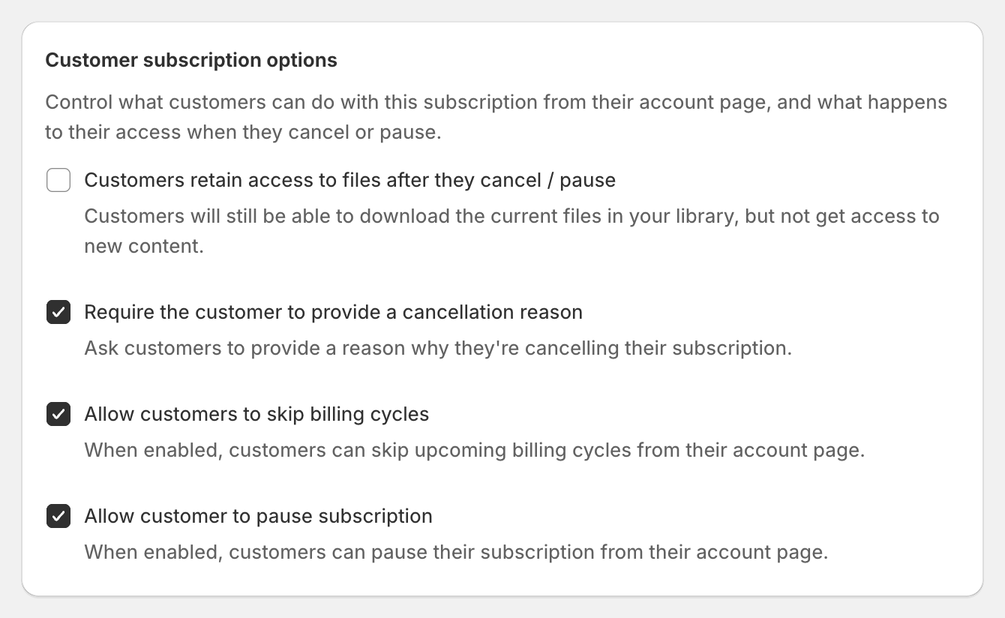
It’s one checkbox per plan, Customers retain access to files after they cancel / pause (off by default), and it covers pausing too. You’ll find it under Customer subscription options for Content Drip and Library Access, and under Content pass settings for a Content Pass.
This allows you to support use cases like:
- Paid libraries with lifetime access
- Strict memberships requiring an active subscription
Paused Subscriptions
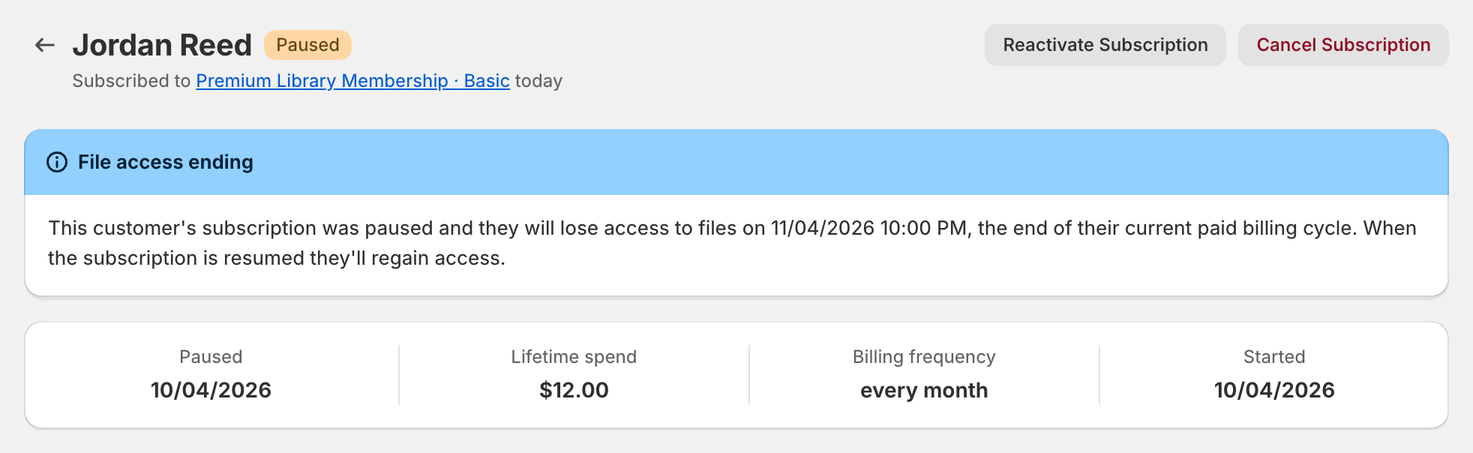
When a subscription is paused:
- Billing stops
- Access is handled based on your configuration
- The subscription can be reactivated later without creating a new one
Paused subscriptions are useful for:
- Payment recovery
- Temporary customer requests
- Retention workflows
Email Notifications
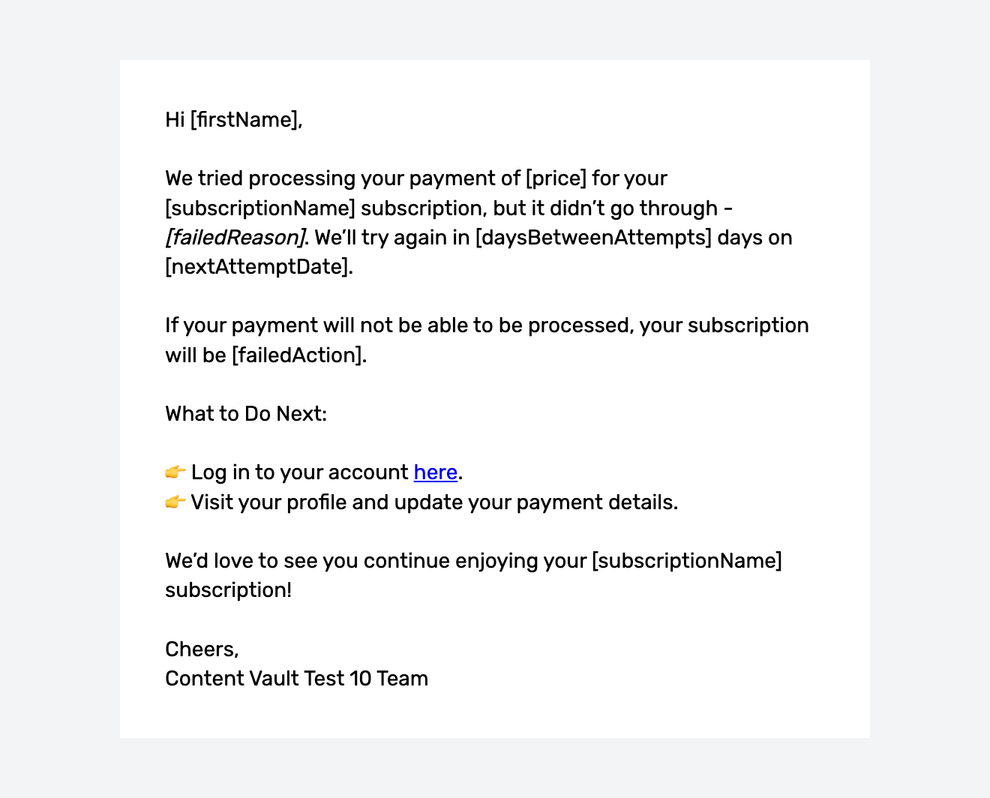
Content Vault automatically sends emails for all key events, including:
- Subscription payment failed
- Payment due tomorrow
- Subscription paused - access retained
- Subscription paused - access revoked
- Cancelled subscription - access retained
- Cancelled subscription - access revoked
- Subscription resumed
All of these can be customized under Settings → Email templates. The payment, pause and cancel emails are in the General group; Subscription resumed (Subscription resumed - content pass for a Content Pass) is in each subscription type’s group.
Managing Cancellations Manually
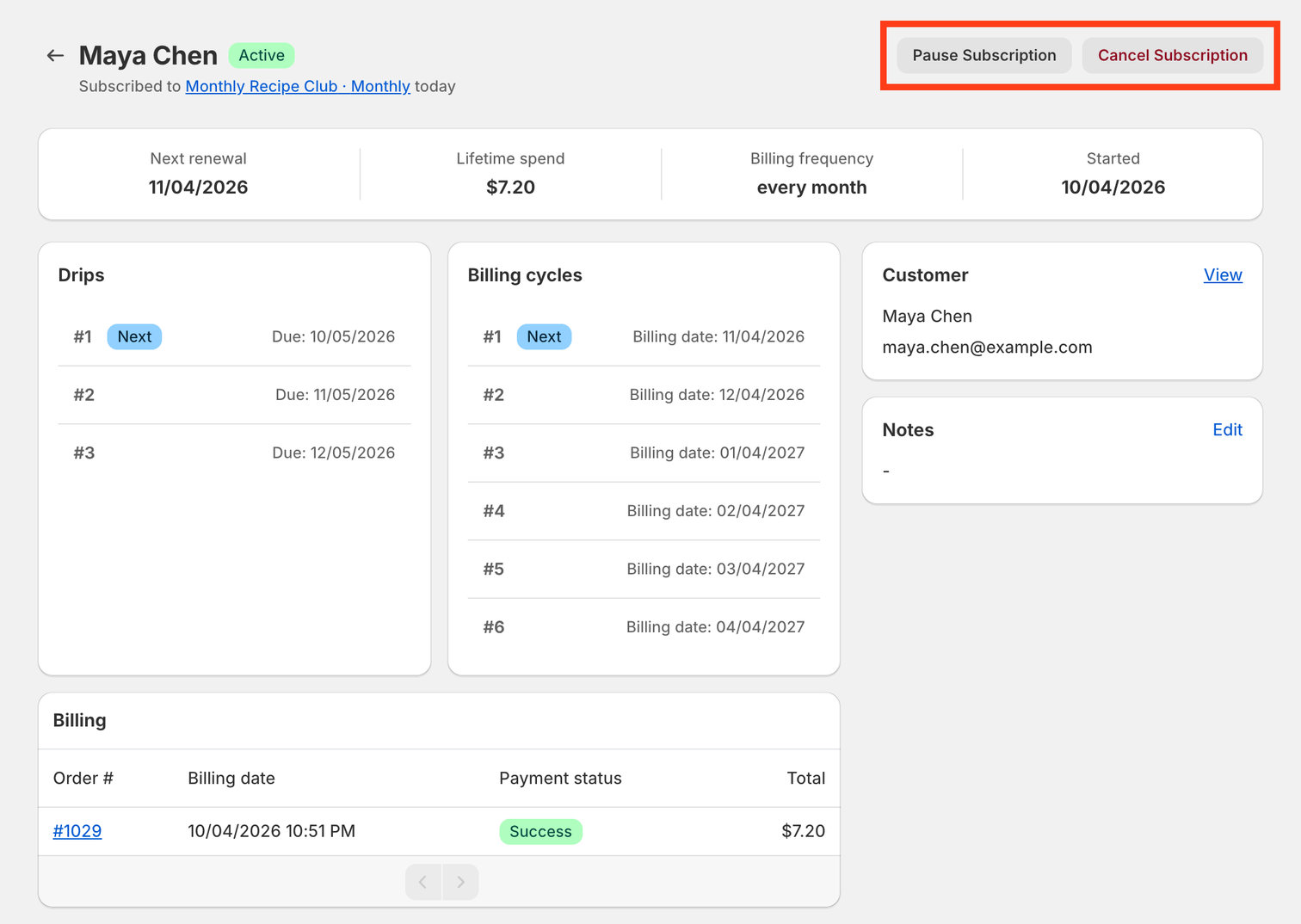
From the Customers page, you can:
- Pause an active subscription
- Cancel a subscription (access then follows the plan’s retain-access setting)
- Reactivate a paused subscription
- View billing history and payment status
Final Notes
- Failed payment retries help reduce involuntary churn
- Cancellation behavior is predictable and configurable
- Access rules are respected consistently across retries, pauses, and cancellations
- All customer communication is automated but fully customizable
If you’re unsure which retry or cancellation strategy fits your business best, reach out via live chat — we’re happy to help you fine-tune it.