Patreon Alternative: Move Your Membership to Shopify
Move a download-based Patreon membership to your own Shopify store: what moves, what doesn't, and how to bring members across without cutting off access.
By the Content Vault team

Patreon makes it easy to start a paid membership. Fans join a tier, Patreon bills them, and you share your work. But if most of what your members pay for is files, you may want to run the membership from a store you own, with your own checkout, customer list and brand.
This guide is for creators whose Patreon is mostly downloads: sample packs, PDFs, templates, presets, brushes and other files. It covers who the move suits, what moves and what doesn't, and how to bring your members across without cutting off their access. The store is Shopify. Content Vault is the Shopify app that sells the subscription and delivers the files.
Is Shopify a Good Patreon Alternative for You?
Start with what your members actually pay for.
A good fit: members pay for files. You release packs, PDFs, templates or presets, and members download them. That's the job Content Vault does. It sells the subscription through your store's own checkout and delivers the files and download links, all at once or on a schedule. On the Plus plan, it can also stream the MP4, MOV, MP3 and WAV files you upload.
Not a fit on its own: members pay for posts or community. Content Vault delivers files, not posts. If your members mainly pay for a feed, comments, chat or livestreams, plan another home for that part before you move, or stay where you are.
Know your Patreon plan. Patreon charges a standard 10% platform fee on creator pages published after August 4, 2025. Pages published on or before that date keep their existing plan. On top of the platform fee:
- card payments in US dollars cost 2.9% + $0.30 each (on payments over $3); other currencies have their own rates;
- a payment in a currency other than your payout currency adds a 2.5% conversion fee;
- each payout has its own fee, for example $0.25 per bank transfer for US creators.
That 10% also pays for your Patreon page, video hosting and community tools such as chats, polls and comments. (All from Patreon's help center, read October 16, 2026.)
Why Creators Move Off Patreon
The reasons are usually about control:
Costs you can see in one place. On Shopify, you pay for your Shopify plan, card processing and your subscription app. With Shopify Payments, Shopify adds no transaction fee of its own. Shopify's Basic plan is $39 a month billed monthly, and US online card payments cost 2.9% + 30¢ each on Basic (Shopify's pricing page, October 16, 2026). Content Vault starts free, with Pay As You Go at 4.95% + $0.25 per payment, and goes up to Plus at $99 a month and 0.50% per payment. See How does Content Vault pricing work?
Your store, your brand. Members subscribe on your product page and check out on your store. You can edit Content Vault's emails, and from the Starter plan they can come from your own email address.
One store for everything you sell. The membership sits next to your merch, prints and other products. Content Vault sells subscriptions. For one-time downloads, its sister app ABC Digital Downloads does the job.
Your customer list in your own admin. Your customers, orders and subscriber records live in your Shopify admin. Turn on customer tagging, and Content Vault tags your subscribers in Shopify (Subscriber, plus Subscribed - <plan name>), so you can sort and email them by plan. See Tagging subscribers in Shopify.
What the fees look like at $2,000 a month. Say 200 members pay $10 a month, all with standard US cards. On Patreon's standard plan (10%, for pages published after August 4, 2025), the fee is $200 and card processing is $118 (2.9% + $0.30 on each payment): $318 a month, before payout fees. On Shopify Basic with Content Vault's Starter plan, card processing is the same $118. Add $39 for Shopify, $29 for Starter and $69 for Starter's 1.95% + $0.15 per payment: $255 a month. Shopify's plan and Content Vault's plan are fixed monthly costs, so they weigh more on a small membership. If your page is on an older Patreon plan, put its fee into the same sum, and run the numbers at your own revenue. Our transaction fees guide shows how.
What Moves and What Doesn't
Know this before you pick a date.
What moves, with some work:
- Your members' names and emails, from Patreon's CSV export
- Your files (you download them and upload them again to Content Vault)
- Your tiers and prices (you set them up again as Content Vault tiers)
What doesn't move:
- Members' payment details and their monthly charge. Patreon is the merchant for your memberships. It stores members' cards through a third-party payment service, and its help center describes no way to hand them to another platform. So each member who wants to stay subscribes again on your store and enters their card there.
- Posts, comments and chats. Content Vault delivers files, not posts.
- Your payment history. It stays on Patreon. Download your payout history as a CSV, from the Documents tab of your Patreon Payouts page, for your records.
The re-subscribe step is the one that needs a plan. You can't quietly move a member's billing, so the move depends on how clearly you tell members and how easy you make it to sign up again.
Checklist Before You Move
Finish these before you set a date.
On Patreon:
- Export your members. On desktop, open Creator studio → Audience to reach the Relationship manager. Filter to the members you want (for example, paid and active), choose the columns, and download the CSV.
- Download every file you've shared with members, if you don't have copies already.
- Write down each tier: its name, price, monthly or annual billing, and which files it includes.
On Shopify:
- Set up your store and connect Shopify Payments.
- Install Content Vault and follow its Setup Guide, including Enable Customer Accounts & Subscription Management. Members use your store's customer accounts to manage their subscription. The steps are in How to install & set up Content Vault.
- Check that the Subscription widget app embed is on, under Online Store → Themes → Customize → App embeds. It shows your plans on the product page.
- Create one product for the membership.
Messages:
- Write the message that tells members about the move: what's changing, what they need to do, and by when.
- Add a page to your store that answers "Will I lose access?" and "Do I have to sign up again?"
- Set aside time to answer questions in the first week.
Rebuilding Your Tiers in Content Vault
Each Patreon tier becomes a tier in one Content Vault subscription. Each tier has its own name, price, billing and files.
A worked example, on the Starter plan. A music producer's Patreon has two tiers:
- Supporter, $5 a month: every sample pack, with a new one each month
- Full Library, $12 a month: every pack, plus bonus stems
In Content Vault, that's one Library Access subscription with two tiers. Library Access gives members everything connected to their tier while they're subscribed.
- Give your membership product a price of $5 in Shopify, then create a Library Access subscription on it. The steps are in Setting up a Library Access subscription.
- Name the tiers Supporter and Full Library, so members see the names they know. The plan name is what customers see on the product page.
- Supporter uses the product's price, $5. Full Library needs its own price: tick Show advanced pricing options and set a fixed price of $12.
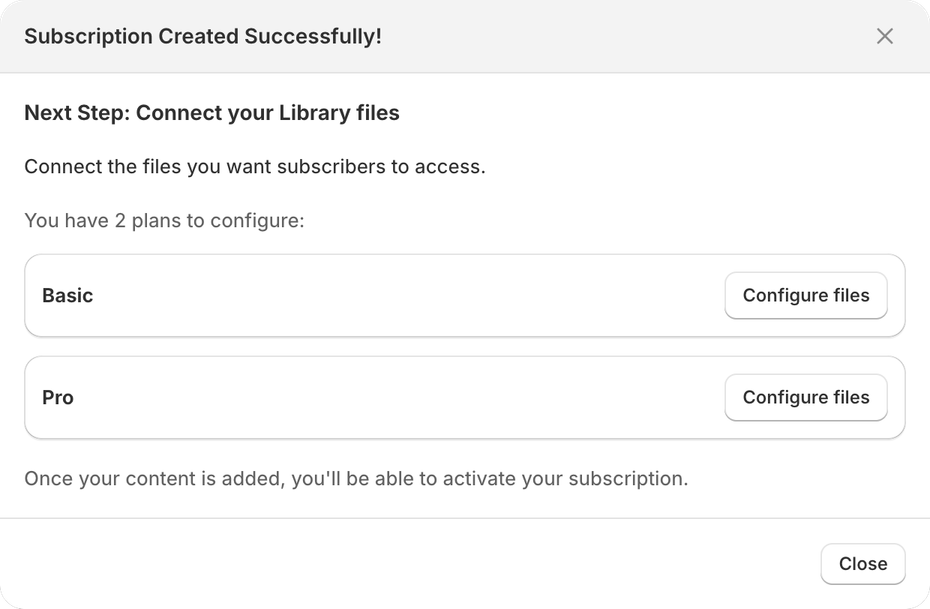
- Upload your packs and stems on the Files page (How to manage files). Then connect the packs to both tiers, and the stems only to Full Library.
- Activate the subscription when you're ready to open the doors.
When you add a new pack later, connect it to both tiers. Members already on those tiers get it too.
This example uses the Starter plan: $29 a month plus 1.95% + $0.15 per payment, with 10 GB of storage, PDF stamping and IP restrictions. Storage is 1 GB on Pay As You Go, 150 GB on Scale and 500 GB on Plus, with no limit per file. To cap how many times each file can be downloaded, see How to limit file sharing.
Annual members. If you sell yearly memberships on Patreon, add a yearly tier with its own billing frequency, and set its fixed yearly price under Show advanced pricing options.
When another type fits better:
- Content Drip releases files on a schedule: every month on a day you choose, or every X days. Use it if every new member should start from pack one, whenever they join. See Setting up a Content Drip subscription.
- Content Pass gives members an allowance of downloads that refills every so many days (30 by default). Use it if members pick a few files each month from a big catalog. See Setting up a Content Pass subscription.
Not sure which? Which subscription type should I choose? compares the three. Our guides go deeper for each kind of file: music and audio, sample packs, templates and planners, design assets and ebooks and PDFs. For a full membership setup, step by step, see How to Create a Membership Site on Shopify. If you're rethinking your prices as you move, read how to price a digital subscription first.
Moving Day, Step by Step
Plan the move in weeks, not hours. Members need time to sign up again.
Two weeks before: test the store. In each tier's File delivery settings, choose where members get their download links, such as an email when they subscribe and links on the Thank You page. Then make a test purchase on each tier, and check that the email arrives and the links work.
One week before: tell members. Tell your members what's changing, why, and the one thing they need to do: subscribe on your store before a date you name. If you'll offer a welcome discount, say so here. You can also add your members to Shopify with its customer import (Customers → Import) and a tag like patreon-member, so you can track who has moved.
Day 0: open the doors. Activate the subscription, then tell members again, with the link. Keep Patreon running for now.
The overlap: 30–60 days. Members subscribe on your store, then cancel their Patreon membership from Settings → Memberships on Patreon. Remind them to cancel, so nobody pays twice. A cancelled Patreon membership doesn't renew for the next billing period.
Closing Patreon. When most members have moved, unpublish your Patreon page, from Your account → Settings → Plan details. That hides the page and stops new memberships. Before you do, pay out your balance and download your payout history. Unpublishing pauses memberships made on the web or Android, and cancels memberships bought with in-app purchase in Patreon's iPhone app, without automatic refunds. So give everyone notice first: Patreon itself recommends a post telling members before you unpublish your page.
Bringing Your Members Across
How you tell members matters more than any setting.
Option A: overlap for a set time. Keep Patreon running for 30–60 days while members move. Each member subscribes on your store, then cancels on Patreon. It's slower, but nobody loses access.
Option B: a welcome offer. A limited-time discount, for example 20% off the first 3 months, gives members a reason to move now. Set it under Show advanced pricing options → Percentage discount, with a Duration in billing cycles. It takes a percentage off the product's price, so it works on a tier that uses the product's price, not on a fixed-price tier. It applies automatically, with no code, so anyone who joins that tier gets it, not only your Patreon members. See How to offer limited-time discounts. Content Vault can also give subscribers a free trial.
Option C: a personal note to your most loyal members. Write to them one by one, and offer to help them sign up. They're the members you least want to lose.
Annual members have paid for a year ahead. Plan their move around the end of their year, or talk to them one by one.
Checks After the Move
Before you call the move done:
- Access: subscribe to a tier yourself and check the download email and links.
- Who has moved: if you imported your Patreon members with a tag, filter your Shopify customers by it. With customer tagging on, Content Vault tags each subscriber
Subscriber, so a tagged member without it hasn't signed up with that email yet. - Renewals: check that the first renewal goes through for a member who moved.
- Revenue: Content Vault's Analytics page shows your MRR (monthly recurring revenue), active subscriptions and churn. Expect MRR to start below your Patreon total while members move.
- Failed payments: in Settings → Failed payments, choose how many times to retry a failed renewal, and whether to then pause, skip or cancel. Cancelling needs Starter or above. See Handling failed payments & cancellations.
- Support: watch your inbox for access questions in the first week.
FAQ
Can I move my patrons' payment details to Shopify? Patreon's help center describes no way to. Patreon is the merchant for your memberships and stores members' cards through a third-party payment service, so plan on each member entering their payment details again when they subscribe on your store.
Will members lose access during the move? Not if you overlap. Keep Patreon running until members have subscribed on your store, and ask them to cancel on Patreon only after that.
Can Content Vault's team move my members for me? No. Content Vault's migration assistance, on the Plus plan, is for stores moving from other Shopify subscription apps. A move from Patreon follows the steps in this guide.
What happens to my posts and community? Content Vault delivers files, not posts. If members value your posts, comments or chat, decide where that part will live before you move.
How long does the move take? As a rough illustration: Content Vault's setup takes about 15 minutes, and uploading a big catalog takes longer. Then plan on an overlap of 30–60 days while members sign up again.
Should I delete my Patreon account? Not right away. Unpublishing hides your page and stops new memberships, but keeps your account and your work, and you can republish later. If your page is on an older Patreon plan, republishing puts it on the standard 10% plan.
Summary
Moving a membership from Patreon to Shopify works best when members pay for files. The technical part is predictable: export your members, rebuild your tiers in Content Vault, upload your files and test. The re-subscribe step decides how many members you keep. Members' payment details stay with Patreon, so everyone signs up again. Tell them early, make the next step clear, give them time, and close Patreon only once most of them have moved.
For the same move from another platform, see Migrate from Gumroad to Shopify. For a full breakdown of what you'll pay, see Transaction fees on Shopify digital subscriptions.
Related reading


Want to try Content Vault?
Turn your digital files into a recurring subscription on Shopify in minutes.